

Ever feel like your money is disappearing before you can even blink? Sometimes, all you need is a tool that sorts your spending and takes care of your bills so you can focus on what truly matters.
Imagine having an easy way to see exactly where your cash goes each month. Apps like QuickBooks and FreshBooks break it all down for you, showing your spending habits in a way that’s clear and simple. This lets you adjust quickly and keep control over your money.
Ready to discover how smart spending can lighten your load? Dive in as we explore our top picks that help put you back in charge of your financial future.
Top Budgeting Tools for Efficient Money Planning

Budgeting tools that work automatically can save you a lot of time. They sort your spending, keep track of your cash flow, and even handle invoices for you. This means you get to focus on your business instead of getting bogged down in number-crunching. Plus, having up-to-the-minute data lets you easily see how your money is moving and quickly adjust when needed.
| Tool | Cost | Platform | Best For |
|---|---|---|---|
| QuickBooks | $10+/month | Desktop & Mobile | Solopreneurs & small businesses |
| FreshBooks | $15+/month | Cloud-based, Desktop & Mobile | Companies with 1-50 employees |
| FreeAgent | $20+/month | Cloud-based, Desktop & Mobile | Accounting beginners & small business owners |
| Centage | Custom pricing | Windows & Linux desktops | Businesses needing scenario-based budgets |
| Adaptive Planning | Custom pricing | Desktop | Mid-size to enterprise companies |
When you pick a budgeting tool, think about your business size and what you really need. Tools like QuickBooks and FreshBooks are perfect if you want help with invoices, tracking expenses, and accessing your data on the go, all while keeping things simple. FreeAgent is a strong choice if you’re new to accounting and want a cloud solution to easily monitor your cash flow. If you need something more advanced, Centage and Adaptive Planning can handle detailed forecasts and teamwork on budgets. Each of these tools makes managing your money smarter and more efficient.
Budgeting Tools: Bright Ideas For Smart Spending

Free budgeting tools and no-cost financial templates can really change the game when it comes to handling your money. They make it super easy to keep track of what you spend and to plan for savings, all without costing a dime. Think of these tools as that reliable notebook you always have on hand, ready to help you adjust your plans whenever life throws a curveball.
For example, try the 50/30/20 rule. This plan splits your income into three parts: 50% for must-haves, 30% for those little extras, and 20% for saving or paying off debt. Did you know that nearly half of what you earn is usually spent on essentials that keep your daily life running?
Next up is zero-sum budgeting. Here, every dollar you earn gets a job to do. With this method, your income minus your spending equals exactly zero, so every cent is given a purpose.
Another great option is line-item budgeting. This means you break down your expenses into individual parts, letting you see exactly where your money goes, from your morning coffee runs to your monthly streaming services.
And then there’s specific event budgeting, which is perfect for when you have a one-time expense in mind, like throwing a birthday party or doing a home renovation. It helps you set aside just the right amount of money without overthinking it.
Customizing these free templates is a big step toward feeling more confident about your finances. Tweak the categories, adjust the spending amounts, or add a simple chart to keep track visually. With a little trial and error, you’ll find a system that clicks with your habits and goals. Over time, as things change, you can update your setup to keep budgeting easy and under your control.
Comparing Premium Budget Management Software

If you're looking for a budgeting tool that clicks with your business, it's all about finding what fits your needs best. Here’s a friendly rundown of some top choices:
QuickBooks is a solid pick if you're a solopreneur or run a small business. It helps you handle payments, payroll, banking, and bookkeeping all in one spot.
• Pros:
- You get to see your financial data in real time.
- Invoices are created automatically for you.
- It easily links up to your bank account.
• Cons:
- It might stretch a small budget a bit too far.
- Some features can be a bit tricky to learn at first.
FreshBooks works well for small companies with up to 50 team members. It makes invoicing and time tracking feel simple and straightforward.
• Pros:
- The interface is friendly and easy to use.
- Managing invoices is a breeze.
- You can easily keep track of billable hours.
• Cons:
- It doesn’t offer much support for payroll.
- There aren’t many options to customize it.
FreeAgent is a cloud-based option that’s great if you’re new to accounting or run a small business. It keeps things simple and accessible.
• Pros:
- It automates your invoicing so you save time.
- It offers live cash flow updates.
- Access it from anywhere thanks to the cloud.
• Cons:
- Advanced features might need a bit of extra training.
- The monthly fee is moderate, which might be a consideration.
Centage is ideal if your business needs to plan with different scenarios. It runs on both Windows and Linux desktops.
• Pros:
- It offers advanced tools to model various budgeting scenarios.
- It’s perfect for team-based budgeting.
- You get detailed forecasting options.
• Cons:
- There’s no mobile app available.
- The setup process can be complex.
Adaptive Planning is built for mid-size and enterprise companies that need flexible planning tools.
• Pros:
- It has flexible features that adapt to your planning needs.
- The forecasting is comprehensive and reliable.
- It encourages team collaboration.
• Cons:
- The cost for implementation is on the higher side.
- It requires dedicated training to get the most out of it.
Spendesk brings together centralized cloud analytics to give you clear financial insight.
• Pros:
- It manages expenses effectively.
- The analytics dashboards are detailed and informative.
- Cloud integration is seamless.
• Cons:
- Its custom pricing model might be a bit confusing.
- It has limited integration with some older systems.
Scoro mixes accounting automation with workflow optimization so you can track spending in real time.
• Pros:
- It comes with integrated reporting tools.
- Workflow features help make processes more efficient.
- Routine accounting tasks are automated, saving you effort.
• Cons:
- Smaller teams might find it a bit overwhelming.
- It carries a higher price tag.
Remember, matching the tool to your business size and needs is key. Think about what features are most important to you now and what you might need as your business grows. Enjoy the journey to better budgeting!
Mobile Budgeting Platforms and Online Expense Trackers

Tracking your money in real time makes managing your budget so much easier. Imagine using an app like QuickBooks on your phone that works just like the desktop version so you see updates as they happen. Apps like FreshBooks and FreeAgent also give you a cloud dashboard that lets you check transactions wherever you are. It’s like catching a sudden spending spike at your favorite coffee shop and being able to see your cash flow instantly. These tools let you enter expenses on the spot, cutting down on extra work and giving you a clear, up-to-date picture of your finances.
Staying in control of each dollar is important. Many budgeting apps now sort your expenses automatically and send you friendly alerts if you’re nearing your limit. Picture a gentle reminder on your phone helping you steer clear of extra spending. They use strong security on every device to keep your data safe. With these robust mobile expense trackers, you can easily watch over your money anytime, anywhere.
Customizable Budgeting Templates and Spreadsheets
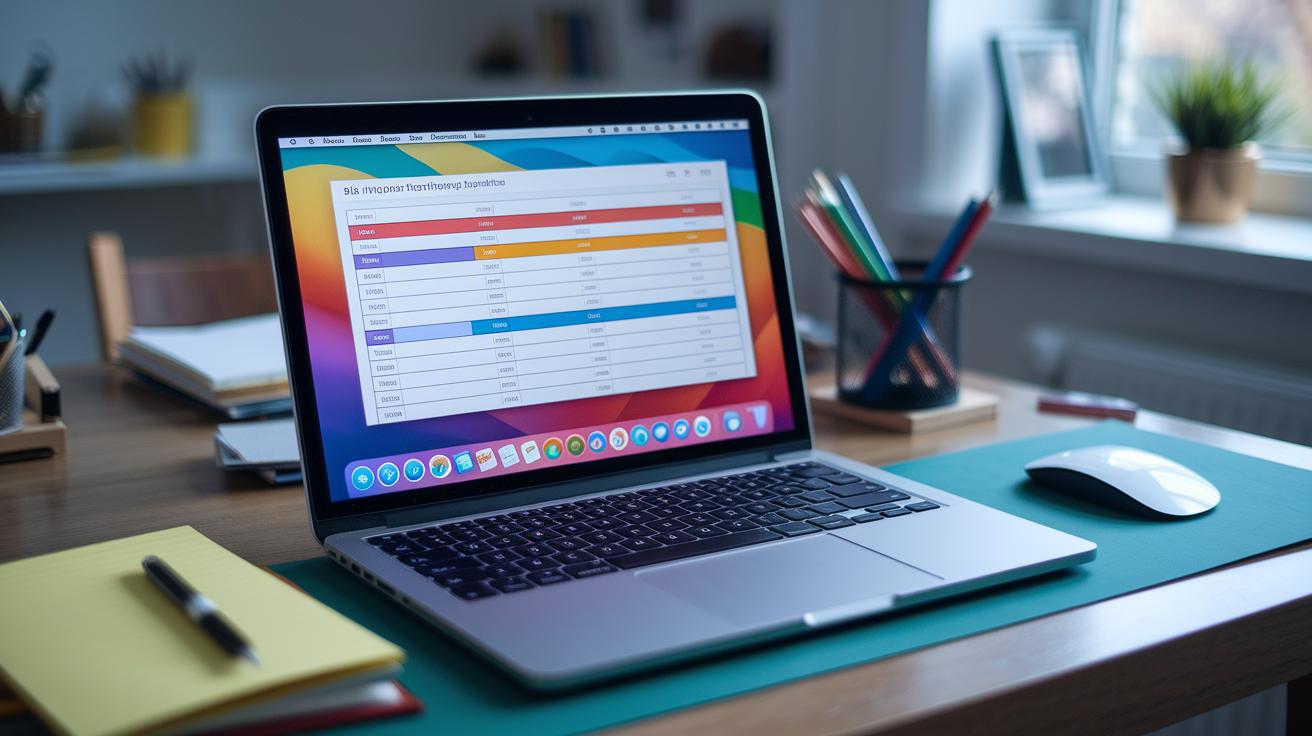
Customizable spreadsheets make it simple to kickstart your financial planning. They offer ready-made templates, like the 50/30/20 rule, zero-based methods (where every dollar has a job), or detailed line-item layouts that save you time while keeping track of spending. Using Excel, you can easily adjust columns, add or remove spending categories, and even fine-tune formulas to fit your unique needs. Think of it as your digital notebook that you can reshuffle anytime you want a fresh look at your expenses.
When you add formulas and automated charts, a plain spreadsheet transforms into a smart financial dashboard. You can set up formulas to automatically total each expense category or create charts that show your spending trends month by month. These summary dashboards let you check your progress at a glance, so any unexpected spending spikes really stand out. This method keeps your budget tidy and makes it much easier to see how your spending habits are evolving. You might even explore a monthly budget template in Excel to start building your own dynamic sheet.
Bringing these custom templates into your daily routine can make managing money feel totally natural. By updating your digital planner every day or week, with handy features like automatic expense categorization, you form a budgeting habit that fits perfectly into your lifestyle. Whether you're tracking your everyday coffee runs or bigger bills, a monthly budget planner can act as your personal guide, keeping your financial plan on track and in tune with your shifting priorities.
Choosing the Right Budgeting Tool for Your Financial Goals

Define Your Budget Objectives
Before you pick a budgeting tool, take a moment to be clear about your financial goals. Think about what really matters: maybe it’s paying off debt, saving for a house, or growing your investments. Write it down, like “I’m working on clearing my credit card debt and building a small savings cushion.” Listing your goals helps you zero in on a tool that fits your unique needs.
Compare Feature Sets
Next, look at the features each tool offers. Ask yourself if the tool automatically tracks expenses, gives real-time updates, and easily connects with your bank account. Imagine an app where you tap to log an expense and it instantly updates every budget category, kind of like having a friendly financial assistant right when you need it.
Try Free Trials
Before making a commitment, try out the tool with a free trial. Play around with it on your mobile device and see how responsive the customer support is. You might end up thinking, “This app is so easy to use and fits perfectly into my busy schedule,” which is a great indicator it might be the right match for you.
Review Integration & Security
Lastly, make sure the tool checks all the boxes when it comes to connecting with your bank and keeping your data safe with strong encryption. Look for features like automatic backups to protect your financial history. A quick run-through might leave you with the reassurance, “The app securely links with my bank and protects my information,” so you can feel confident while managing your money.
Final Words
In the action, we explored efficient money planning through free budgeting templates, premium software, mobile platforms, and customizable spreadsheets. Each section showed how automated features and clear data tracking simplify managing your money while growing your financial skills.
You now have a clearer sense of how to tailor these budgeting tools to your needs. Experiment with each option until you find what truly fits your financial style. Keep moving forward, you’re on a strong path to building a secure future.
FAQ
What are budgeting tools and how can they help me manage my money?
The term budgeting tools covers software, templates, and planners—from free online systems like Goodbudget to detailed budget templates—that help you track spending, set limits, and manage cash flow effectively.
What does the 50/30/20 budget rule mean for my spending?
The 50/30/20 rule means you allocate 50% of income to essentials, 30% to lifestyle choices, and 20% to savings or debt, providing a simple method to balance your finances.
What are the 7 types of budgets and how do they differ?
The 7 types of budgets typically include zero-based, envelope, incremental, flexible, static, rolling, and priority-based, each offering a different method to plan spending based on fixed roles, changing needs, or ranked expenses.